Most advanced Multi-Tenant PBX / Multi-Tenant OTT Mobile app developed for Corporate Clients with all Multi-Tenant tools and value added services
Teletalk Multi-Tenant PBX allow to serve multiple independent tenants, user organizations, enterprises across the world. With Multi-Tenant PBX / Multi-Tenant OTT Mobile App, VoIP service providers can offer Media Sharing, Audio-Video Calling beside many more useful features to drive traffic and grow user base while retaining existing users.
Are you prepared to transform the way you communicate in the workplace? Look nowhere else! With cutting-edge capabilities and seamless communication unlike anything else before, our Multi-Tenant PBX with Multi-Tenant OTT Mobile App is ready to empower your business. Let’s investigate the outstanding characteristics that make this solution the best option for companies of all sizes.
Never miss a client call again…
doesn’t matter are you in office or outside with Teletalk Multi Tenant OTT Mobile App
Multi-Tenant PBX with Multi-Tenant OTT Mobile App ( For Corporate clients users )
- Multiple Corporate Clients’s Domain registration in a Single App.
- Each Corporate Clients will have their own Extension ( Like : 101, 102, 103, 104 etc. ), When employee will login with their extension they can see all their companies extension number as centralised contacts.
- You can assign DID number to each corporate clients, When someone will call to that DID number, Incoming calls will forward to extension which is registered in any IPPhone device or Mobile App.
- Mobile App with Voice, Video, Chat, Group chat for inter branch communication, Excess and use business extension from anywhere .
- Make and Receive calls on your business number, no matter you are in office or outside.
- Chat with your Colleagues on your own in-built App, No need to use third party App
Multi-Tenant PBX
Highlighted Features
Multi-Tenant PBX
HD Video Conferencing
IM / Group Chat
File / Doc Sharing
Call Forwarding
Music On Hold (MOH)
Voice Mail
DID Manager
Multi-Tenant PBX With Multi-Tenant OTT Mobile App
Multi-Tenant PBX Key Features
Multi-Tenant OTT App Features
System Specification
Multi-Tenant PBX Key Features
Call Barge
Call Block
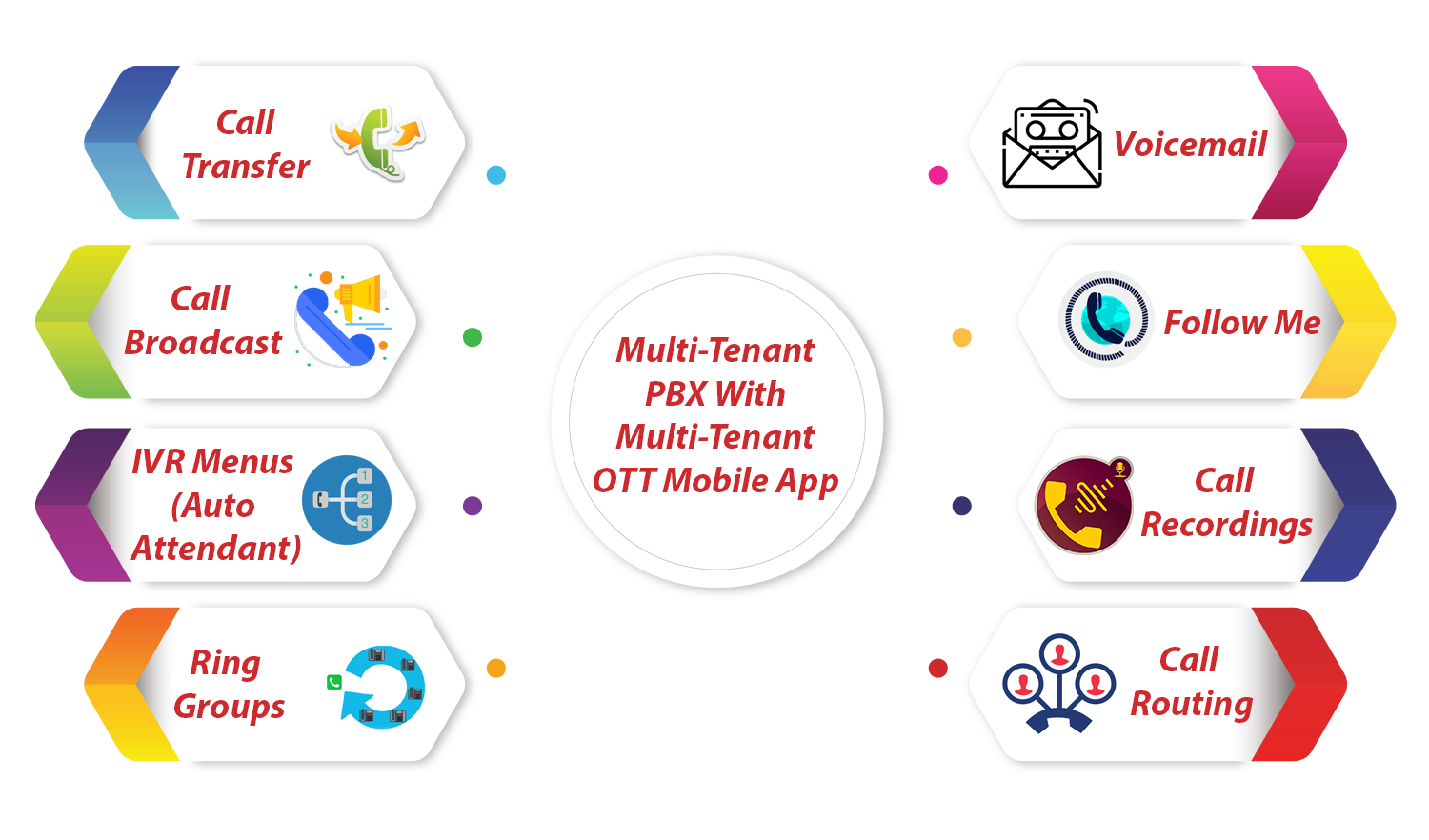
Call Broadcast
Call Center
Call Detail Records
Call Flows (Day Night Mode)
Call Forward
Call Monitoring
Call Pickup
Queues
Call Recordings
Call Routing
|
Call Announced Transfer
Call Transfer
Call Waiting
Caller ID
Conference Call
Conference Center
Dialplan Manager
Do Not Disturb (DND)
Extensions
Extension Summary
Follow Me
|
Gateways
Inbound and Outbound Call Routing
IVR Menus (Auto Attendant)
Music on Hold
Operator Panel
Call Parking
Ring Groups
User and Group Management
Time Conditions
Voicemail
|
Multi-Tenant OTT App Features
Multi Tenant OTT Mobile App Features
|
System Specification
System Specification : Multi-Tenant PBX with Multi-Tenant OTT Mobile App
We recommends following Hardware and operating system. Hardware Requirements: Intel Core i5 Processor /32 Gb RAM/1 TB HDD
Software Requirements:
- Debian 11 OS (complete installation)
Internet connection:
The use of a 1Gbit Ethernet card is a prerequisite for Multi-Tenant Solution with good broadband internet connection .
Discover the Power of Our Multi-Tenant PBX with Seamless Call Management and Advanced Integration Capabilities
Multi-Tenant PBX
Thanks to our multi-tenant PBX solution, you can effectively manage several tenants or clients from a single platform. This feature enables you to quickly establish distinct communication settings for every tenant, guaranteeing privacy, security, and customized communication solutions.
Seamless Call Management
Take use of cutting-edge features like call routing, call forwarding, call recording, and voicemail to experience unmatched call management capabilities. With our straightforward and user-friendly interface, you can improve customer interactions and streamline your communication workflow.
IVR customization
You may adjust your Interactive Voice Response (IVR) system to meet your company's needs.To provide your callers with a professional and tailored experience, create unique menus, greetings, and call routing choices.
Advanced reporting and analytics
Utilize our in-depth analytics and reporting tools to learn important information about your communication habits. To make data-driven decisions and improve your communication strategy, keep an eye on call volume, length, and performance indicators.
Multiple Channels of Communication
Use a variety of channels to interact with your clients, such as voice, video, chat, and SMS. Switch between several communication channels with ease to cater to consumer preferences and provide top-notch service.
White Label Alternative
Utilize our white label solution to strengthen your brand identification. Create a consistent user experience for your customers by personalizing the app's look, logo, and color scheme to reflect your brand.
Scalable and secure
Your communication infrastructure is safe and scalable, so you can relax. The confidentiality and integrity of your data are guaranteed by the strong security measures used in the construction of our solution. Our system automatically adjusts as your business expands to meet your changing demands.
Improved Cooperation
Use tools like voice and video conferencing, screen sharing, and file sharing to encourage cooperation and collaboration. Regardless matter where they are, enable your team to work together in real-time to boost productivity.
Experiences Designed for Mobile
Our smartphone application advances communication. Use your smartphone to instantly access all the robust capabilities of our Multi-Tenant PBX system wherever you are. Even when you're away from the office, you can easily stay connected, handle calls, and communicate.
Get a Free Demo
Buy Now
Get a Free Demo
Fill the form to get Multi-Tenant PBX With Multi-Tenant OTT Mobile APP Free Demo
Buy Now
Fill the form to Buy Now Multi-Tenant PBX With Multi-Tenant OTT Mobile APP
Integration Skills:
In order to improve your complete communication ecology, our Multi-Tenant PBX with Multi-Tenant OTT Mobile App smoothly interacts with well-known business tools and platforms. Take advantage of seamless connection with help desk applications, CRM systems, and other productivity tools to simplify operations and offer a unified communication experience. You may consolidate your communication data, automate procedures, and promote effective departmental cooperation by utilizing our integration capabilities. This connection enables your staff to deliver individualized and effective customer care by enabling them to seamlessly enter interactions into your CRM and access pertinent client information during conversations. You can boost productivity, improve customer happiness, and realize the full potential of your corporate communication ecosystem with the help of our solution’s robust integration capabilities.
Talk to us about getting started
Start your successful business idea transformation journey with us.
Get a custom application that suits your business requirements
OTT VoIP Phone / OTT Mobile App
All-In-One VoIP Phone System
Class5 VoIP Softswitch
White Label Mobile VoIP Dialer
Blog & News
Every single day update
Security

The Future of Communication: Exploring…
Teletalk Apps’s Branded OTT VoIP Phone System / OTT Mobile…
TeleTalk Softswitch Solution: The Ultimate…
In the fast-paced world of VoIP communication, having the right…
Revolutionizing Communication with a Rich…
In today’s fast-paced world, staying connected is more important than…